How To Create SEO-Friendly URL Structure For Your Website


Your website’s visibility on search engines can be greatly enhanced by using an SEO-friendly URL structure. This facilitates the understanding of URLs by both search engines and users. Using the below steps, you will be able to create a URL structure that is clean, descriptive, and SEO-friendly.
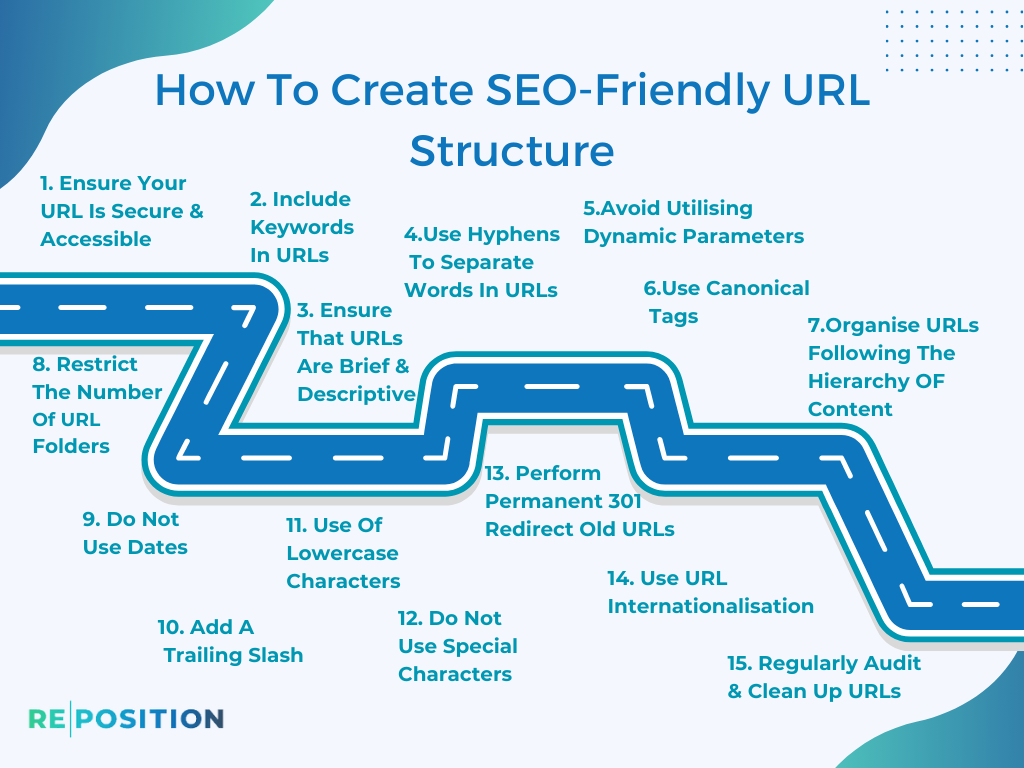
Step 1: Ensure that your URL is secure and accessible
A Secure Website Is Given Preference By Google. As A Result, You Should Begin By Ensuring That Your Website Is Encrypted Using HTTPS. As A Result, Not Only Does This Provide Security For Users, But It Also Builds Their Trust.
Step 2: Include keywords in URLs
SEO and keywords go hand in hand, whether it is the content or the URL structure. Include the primary target keywords in the URL of the specific page. In addition to improving search results, this can also result in higher click-through rates.
Example:
Bad URL Structure: www.reposition.co.uk/article1234567/
Good URL Structure: www.reposition.co.uk/best-seo-services/
You can see that the phrase ‘SEO Services’ appears in the second URL. Google does take this into account while displaying the results. Let’s pretend the first URL belongs to your website. Where can I find information about the content? Content in this place is not represented by numbers, but by keywords.
No, Google does not ignore the inner content, but certainly, the URL is taken into account.
Step 3: Ensure that URLs are brief and descriptive
There is a greater ease of remembering and sharing short URLs. Avoid unnecessary words and parameters.
Step 4: Use Hyphens to Separate Words in URLs
Generally, hyphens (-) are used to separate words in URLs. It is recommended that you do not use underscores (_), spaces, or any other characters in your text.
Step 5: When possible, avoid utilising dynamic parameters
Users and search engines may find dynamic URLs confusing, as they contain ?, &, %, etc.
Example:
Bad: www.reposition.co.uk/product?id=12345
Good: www.example.com/seo-labs/rank-tracking-tool/
Step 6: Don’t forget to use canonical tags
Canonical tags can be used to prevent duplicate content issues if there are multiple pages with similar content.
Step 7: Organise URLs following the hierarchy of content
You should consider your URL structure if you have a logical hierarchy on your website (for example, categories and subcategories).
Example:
www.reposition.co.uk/organic/seo/keyword-research/
Step 8: Restrict the number of URL folders
You should limit the number of folders (slashes) in your URL. URLs that contain multiple slashes can appear more complex than they need to be.
Step 9: Do not use dates
In URLs, avoid including dates unless they are essential to the content. Content may seem outdated if it contains dates, even if it still contains relevant information.
Step 10: Add a trailing slash
If you choose to do so, it can give your URL the appearance of being a separate directory. Be consistent in your choice.
Step 11: Use of lowercase characters
Maintain consistency and avoid confusion by using lowercase letters throughout the URL. This can cause problems on some servers that differentiate between uppercase and lowercase characters.
Step 12: Do not use special characters
You should avoid using characters such as #, @, ! , $, etc. They can be confusing and aren’t needed in most URLs.
Step 13: Perform Permanent 301 Redirect Old URLs
If you change a URL, ensure you set up a 301 redirect from the old URL to the updated one. Thus, users won’t end up on 404 pages and link equity is preserved.
Step 14: Use URL Internationalisation
Creating URLs for a multilingual website requires considering how each language will be structured. By using subfolders or subdomains with country and language codes, you can make your website more effective.
Example:
www.reposition.co.uk/en/keyword-research/
www.example.com/fr/recherche-de-mots-clés/
Step 15: Regularly Audit & Clean Up URLs
Maintain a regular review of the URL structure of your website. Maintain consistency throughout by removing outdated content, fixing broken links, and fixing broken links.
Conclusion
You can make your website more prominent and easier for people to use by doing a few important things. One is to follow the best practices for getting your site noticed on search engines. Another is to create web addresses (URLs) that are easy for both people and search engines to understand. This will help more people find your site and have a better experience using it. If you find restructuring your website’s URLs complicated, contact Reposition SEO for a productive experience. Give us a call and let us handle your website URLs.